What a Kitchen Setup Actually Costs to Start (and What MenuMog Needs)
I make MenuMog. This post is about what it costs to put a digital menu and a kitchen screen into a small place, and I am going to do it without quoting you anybody else's prices — I do not have their invoices, and made-up competitor arithmetic is how this post read before I rewrote it.
So: here is exactly what MenuMog costs, exactly what hardware it needs, and the parts of the bill it does not remove.
What MenuMog costs
Nothing, right now. It is free while I am still building it out — no credit card, no trial clock, no per-station fee, no charge for extra staff.
There is a Pro tier sketched on the pricing page for later, and its price says TBD, because I have not decided it. I am not going to tell you there will never be a bill; I am telling you there is not one today and I have not set tomorrow's. If you are making a decision that has to survive a year, price that uncertainty in.
What is free today includes the parts people expect to pay for: unlimited menus and items, image and video uploads, custom fonts and colours, QR sharing, daily specials, multi-currency, and the ordering system with its kitchen screen — which is the piece marked for Pro later.
What hardware it actually needs
MenuMog runs in a browser. The customer's menu is a web page, the staff ordering screen is a web page, the kitchen screen is a web page. There is nothing to install, no app store, no sideloading, and no dedicated terminal.
That means the honest hardware list for a small cafe is:
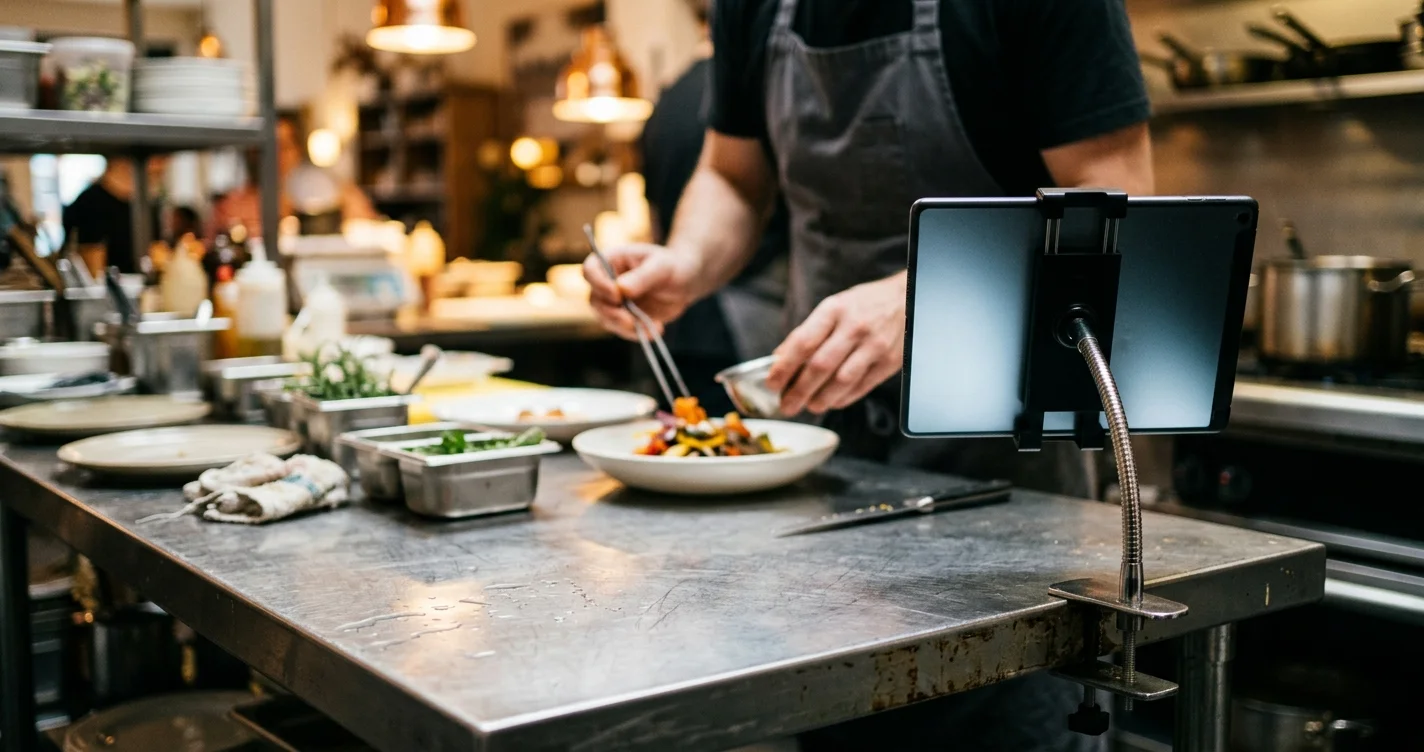
- One screen for the kitchen or pass. Any tablet or laptop that runs a current browser, on a stand or a mount.
- One phone or tablet for whoever takes orders, if you want table ordering at all. Staff usually use the phone in their pocket.
- A screen for the customer-facing menu, if you want one on the wall — a TV with a browser, or a tablet. A printed QR code on the tables costs a sheet of paper instead.
- Working wi-fi. Not optional; see below.
The old version of this post told you to buy three specific Amazon tablets at a specific price. I have not tested those tablets, so I am not going to name them. The requirement is a browser, and the practical advice is to try it first on the tablet already in the drawer before buying anything.
What the setup involves
Roughly half an hour, and none of it involves an installer.
- Build the menu. Categories, optional subcategories, then items — name, price, an optional description and photo, optional allergen and dietary tags.
- Pick how it looks. Eight templates; three of them (TV Display, Carousel, Digital Board) are laid out for screens rather than phones. Fonts and colours are per menu, and prices, descriptions and images can each be switched off.
- Share it. The menu gets a permanent link and a QR code. Print the QR, or point a TV at the link — the customer-facing view refreshes itself every 30 seconds by default, so changes appear without anyone touching the screen.
- If you want orders, add a venue. A name, a number of tables, and a numeric PIN. That gives you the staff ordering screen and the kitchen screen, both behind that PIN.
There is no menu import. If your menu lives in a spreadsheet or a PDF, someone types it in the first time — for most small places that is one sitting, and it is the single most tedious part of getting started. I would rather warn you than let you discover it at item forty.
The kitchen screen
Orders arrive on it live. It is a streaming connection rather than a page that refreshes, so a new ticket appears without anyone tapping anything. Orders move through pending, confirmed, preparing, ready and completed, and individual items can be moved on their own when half the order is up and the rest is not.
The ordering side is staff-facing, not customer-facing: a server enters the PIN, picks a table, taps items into a cart, and can put a free-text note on any item — no onions, extra sauce — or on the order as a whole. Customers scanning the QR code get the menu, read-only. They cannot order themselves.
What you get for the money that surprised me
Because every order is stored, the orders page gives you a statistics tab for free: total revenue, order count, item count and average order value over today, yesterday, the week, the month or all time; your twenty most-sold items by quantity and by revenue; revenue split by venue if you have more than one; and a 30-day daily revenue series.
For a small place that has been guessing which dish actually sells, that is the most valuable thing in here, and it is a by-product of taking the orders at all.
The reports tab next to it is honest about itself: it says "Coming Soon". There is no PDF report and no CSV or Excel export yet. If you need the numbers in a spreadsheet, today you read them off the screen.
The costs MenuMog does not remove
This is the part the original post skipped, and it is the part that decides whether any of the above is a saving or a second system to keep in step with the first.
- Your POS. MenuMog does not integrate with one. Not Square, not Toast, not anything — there is no integration layer at all. Orders live in MenuMog and nowhere else, so if your POS already drives a kitchen printer, running both means entering things twice. That is a real cost, and for some places it is bigger than the licence fee they were trying to avoid.
- Payments. Nobody pays through MenuMog. It takes the order; you take the money exactly as you do now.
- Stock. There are no inventory counts. Nothing decrements when something is ordered. When you run out of a dish you hide it, by hand, and it disappears from both the customer menu and the staff ordering screen.
- Accounts for staff. One shared PIN per venue, not a login per person — so there is no record of who rang in what.
- The network. There is no offline mode. If the wi-fi in the kitchen is bad, fix that first; a screen that cannot reach the internet shows you nothing, and that is a worse Friday than a paper ticket.
Where I would start
Put the menu up behind a QR code and leave the ordering half switched off. That part costs a sheet of paper and half an hour, it removes reprints, and it tells you whether the menu is even the thing that annoys you.
If it is the tickets that annoy you, add the venue and run the kitchen screen for one service alongside whatever you use now — deliberately double-entering for a day — and see whether the live board and the statistics tab are worth the second system. That is a much better test than any arithmetic I could put in a table, including mine.
Share this article
Ready to create your digital menu?
Join restaurants and cafes using MenuMog for QR menus, ordering, and more.
Get started free