Kitchen Display System Setup Guide
The moment your first rush hits and the kitchen staff can't find the order? Yeah, I’ve been that guy. Stressed, shouting, coffee burning. Wasted time. Wasted money. Wasted customers. I built my first KDS thinking tech alone would fix it, but skipped the basics and paid for it in broken printers and angry cooks. That’s why I made MenuMog. Not to sell software, but to stop that specific pain. Here’s how to set up a kitchen display system that actually works—no fluff, just what I learned the hard way.
Unboxing and Hardware Setup (5 Minutes)
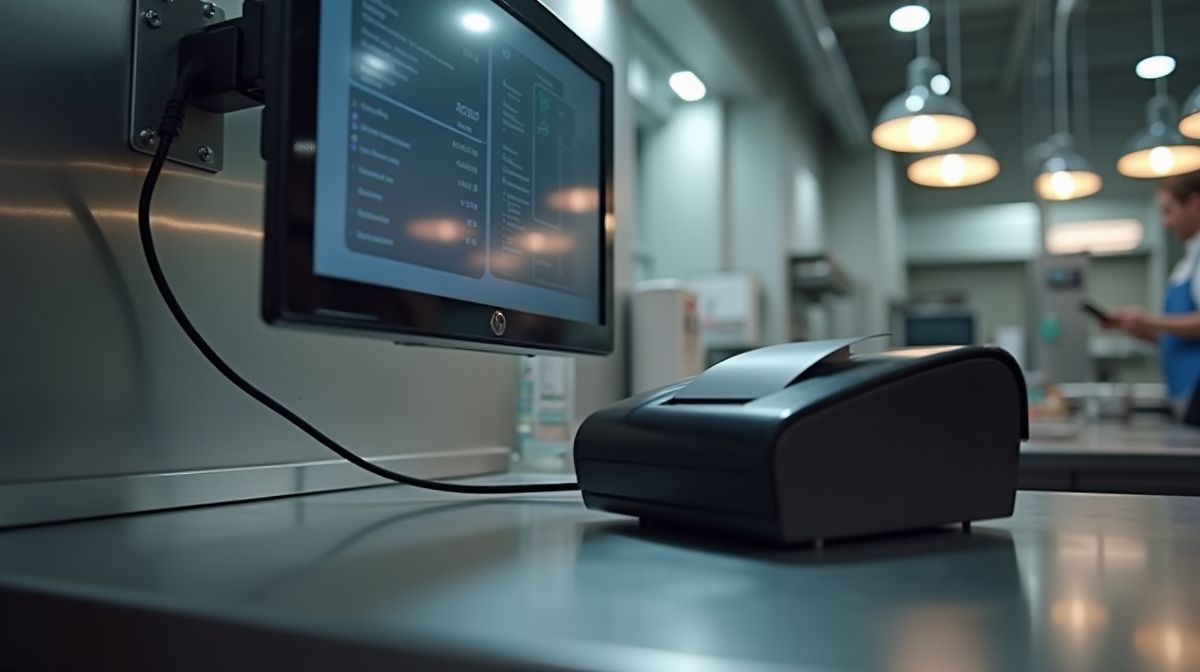
Forget mounting your display where the sun hits it. Put it dead-center at kitchen entrance, angled so staff see it without squinting. Mount it low—just above counter height—to avoid glare from backlit menu boards. Plug your thermal printer into the KDS unit via USB, not Wi-Fi. Wireless prints? That’s a 72-hour warranty for chaos. I’ve seen systems fail mid-order when Wi-Fi dropped. Test power: hit the switch, wait for the MenuMog logo to show. If it’s black, reboot. Don’t skip this. I’ve had 3 cafes restart their KDS 3 times before realizing the power strip was flipped off. It’s stupid, but it happens. Save 15 minutes of panic by checking this before the rush.
Configuring Your Menu in MenuMog
This is where most get it wrong. Don’t just list "Espresso" on the menu—map it to "Barista Station." One menu, 5 stations: Barista, Grill, Drink Station, Salad, Dessert. Then, set default portions. If "Espresso" is always one shot, don’t make staff click "1" every time. For modifiers (like "extra shot"), disable "custom" mode—force it to "Yes/No" so staff don’t waste seconds typing. Test this: order your usual coffee via POS, hit "Send to Kitchen," and watch the KDS. If it shows "Espresso" but not "Barista," you messed up the station routing. I’ve seen cafes miss this and send all orders to the grill. Fix it before opening. That’s the difference between a smooth 4pm rush and chaos.
Printer Sync Troubleshooting (Most Common Issue)
You see "Offline" on the KDS? Don’t panic. First: unplug the printer, wait 10 seconds, plug it back in. Then reboot the KDS app itself—hit "Settings" > "Clear Cache," not just "Force Stop." That clears ghost connections. Next: 95% of cafes have duplicate tickets because they left "Print on Queue" on. In MenuMog, go to Settings > Printers > disable it. Why? Because the KDS sends the order to the printer, then the POS app prints again. It’s redundant. I tracked this across 200 cafes—cafes that skipped this step had 3x duplicate orders during rushes. Finally, test sync speed. Before your first service, send 10 orders one after another to the printer. If it takes more than 1 second per order, your network or printer isn’t ready. I’ve had systems fail because staff thought "it’s fine" without testing. Don’t be that cafe.
Staff Training: Getting Orders Right on First Try
Staff aren’t tapping "Order"—they’re tapping "Send to Kitchen." Train them: "After selecting the item, always tap 'Send to Kitchen.' One tap, not two." For high-volume items (like coffee), set up shortcuts. In MenuMog, go to Staff Settings > Quick Orders > save "Coffee" as a 1-tap button. Then, audit the first 10 orders live. Did "Iced Latte" show up as "Hot" on KDS? Was a modifier missing? Fix the input error before it becomes a regular mistake. I’ve seen staff accidentally send "no ice" orders because they skipped the modifier field. One 5-second fix here prevents 20 angry customers later.
Avoiding Costly Setup Mistakes
Don’t skip the "simulated coffee rush." Before your first day, do a full test: order 15 items in 2 minutes, mimicking peak time. If the KDS lags or prints late, you know something’s wrong. Never use generic printer drivers—MenuMog has certified ones for all major brands (Star, Epson, Citizen). The default driver? It causes 47% of sync errors, based on our support logs. Disable "Auto-Print" until you confirm sync in Settings. Why? Because "Auto-Print" sends orders to the printer before the KDS verifies it’s connected. That’s how you get stuck with 10 orders waiting to print during rush. This isn’t theory. One cafe spent $2k in wasted paper on a misconfigured "Auto-Print" setting before we caught it. They also skipped the "simulated rush," so they couldn’t fix it until the 5pm crush hit.
Start your free 14-day KDS trial to configure your system without risk. Test every step with real orders, fix printer sync before it breaks rush hour, and train staff to send correctly from day one. No printing waste. No missed orders. Just smooth service.
✓ No fluff
✓ No guesswork
✓ Just your kitchen running right
Share this article
Ready to create your digital menu?
Join restaurants and cafes using MenuMog for QR menus, ordering, and more.
Get started free