New
Bring the menu you already have.
Give MenuMog your website, a PDF or a photo of the printed menu. A minute later every dish, price and allergen is in, checked against your menu line by line, and set for phones, TVs and social media. You type nothing.
Reading the menu…21 dishes, 6 sections
- Fern porridge€5.50
- Eggs on rye€9.80
- Pumpkin & ginger€6.90
- Fern burger€13.90
- House wine€7 / €28
Every price checked against your menu
- 1Reads your menu
- 2Checks every price
- 3Sets it everywhere
Whatever your menu is now
You do not need to have it in any special shape. Use what you have.
From your website
Paste your address. MenuMog finds the menu page, follows the PDF menus and the menu pictures on it, and reads them all. Your logo and colours come along.
A PDF or photos
The file you send to the printer, or photos of the printed menu, the chalkboard or the drinks card. Up to eight at once, one menu out of all of them.
Paste the text
Copy the menu out of a Word file, an email or a delivery app and paste it. Any order, any layout.
Watch a real one
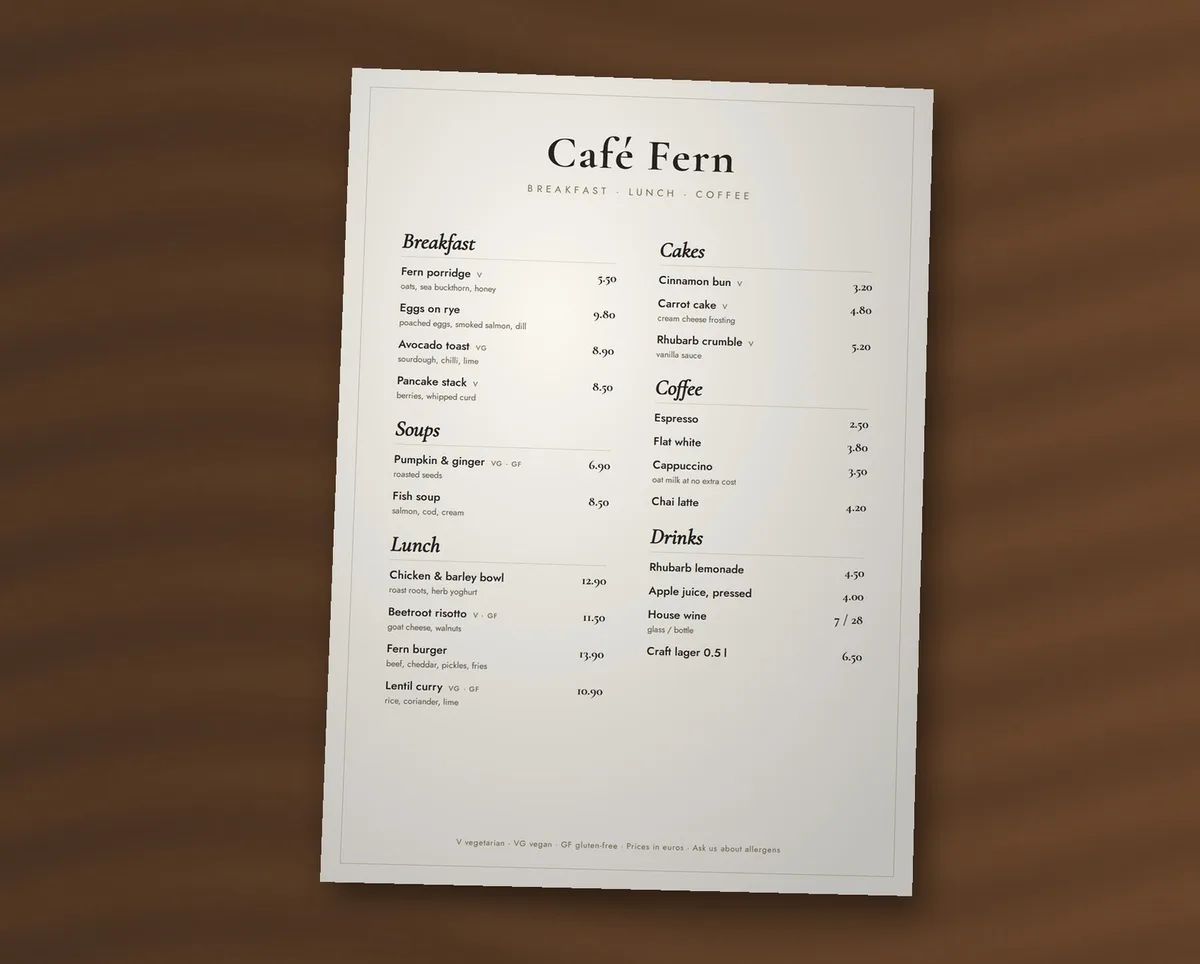
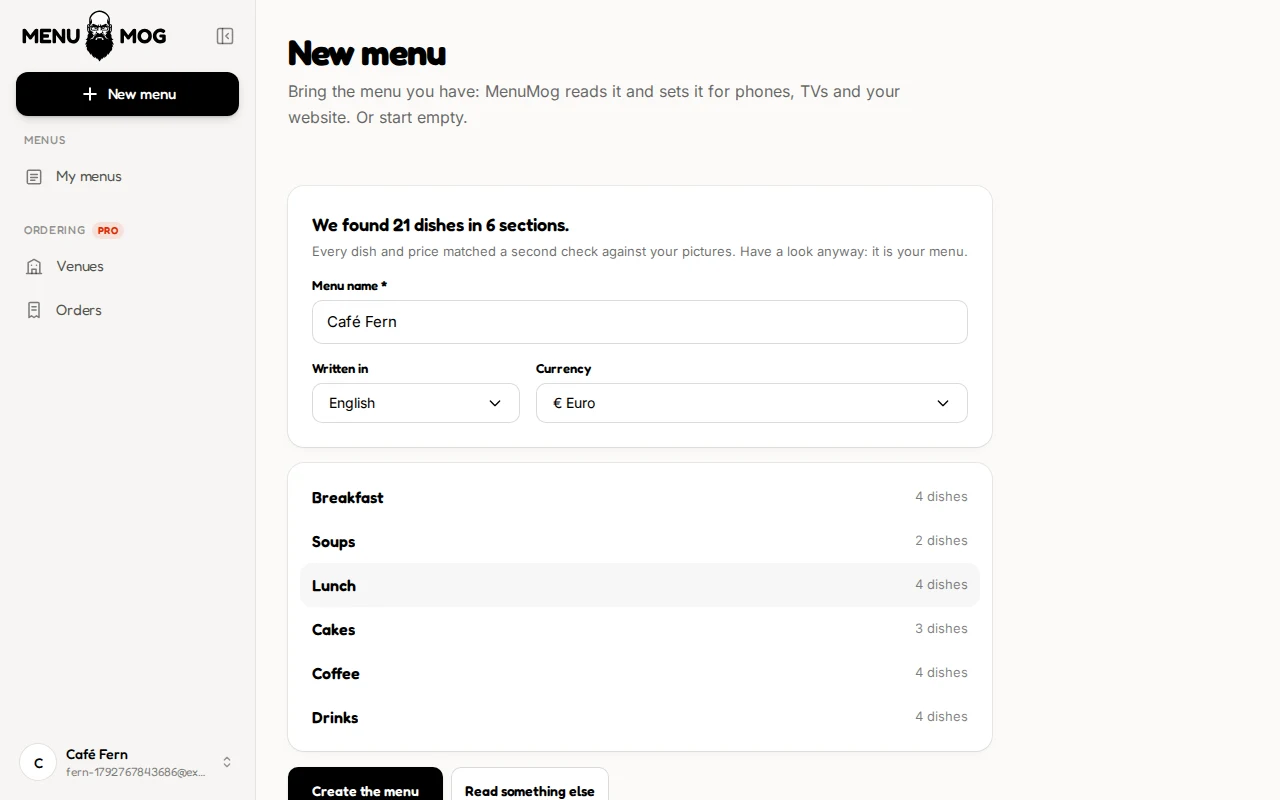
Not a mock-up. This is MenuMog reading a phone photo of a printed café menu: 21 dishes in 6 sections, every price right, the wine with both its glass and bottle price. The reading took about 30 seconds and is shown 8× faster.
Fast is easy. Right is the point.
A menu with one wrong price is worse than no menu. So MenuMog does not just read your menu, it checks what it read against the menu, and it tells you what it is not sure of instead of guessing.
88 / 88
dishes from a café website
every price exact, in about a minute
161
dishes from menu pictures
a full restaurant menu, read in under 3 minutes
7 / 7
planted mistakes caught
and no false alarms on the rest
Every price is found in your menu
For text and websites, MenuMog looks for each price it read in what you gave it, however it is written: 8,50, 8.50 or 8.-. A price it cannot find is marked for you to check.
Pictures are read twice
A photo or a PDF scan is read, then checked a second time line by line against the picture. Where the check reads a price differently, you are told what it read, and you decide.
Nothing is guessed
A dish with no price stays without one, and a name that is not in your menu is marked. MenuMog never fills a gap with something that sounds right.
You have the last word
You see every dish before the menu is made, with what needs a look listed first and why. Change anything, then press Create.
Then it is a MenuMog menu
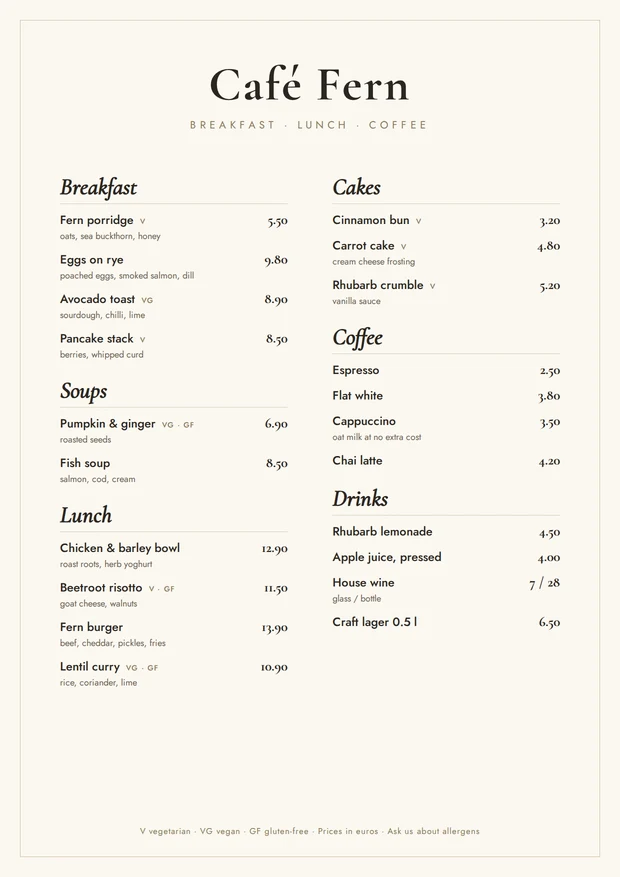
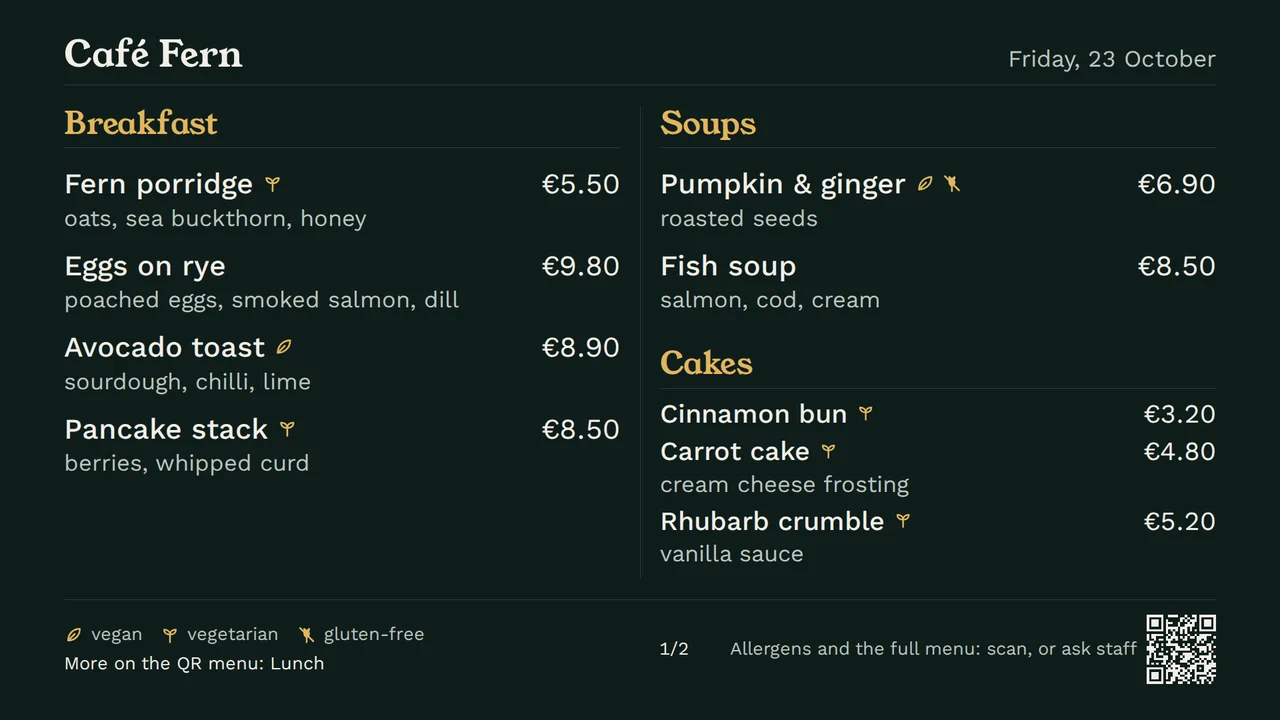
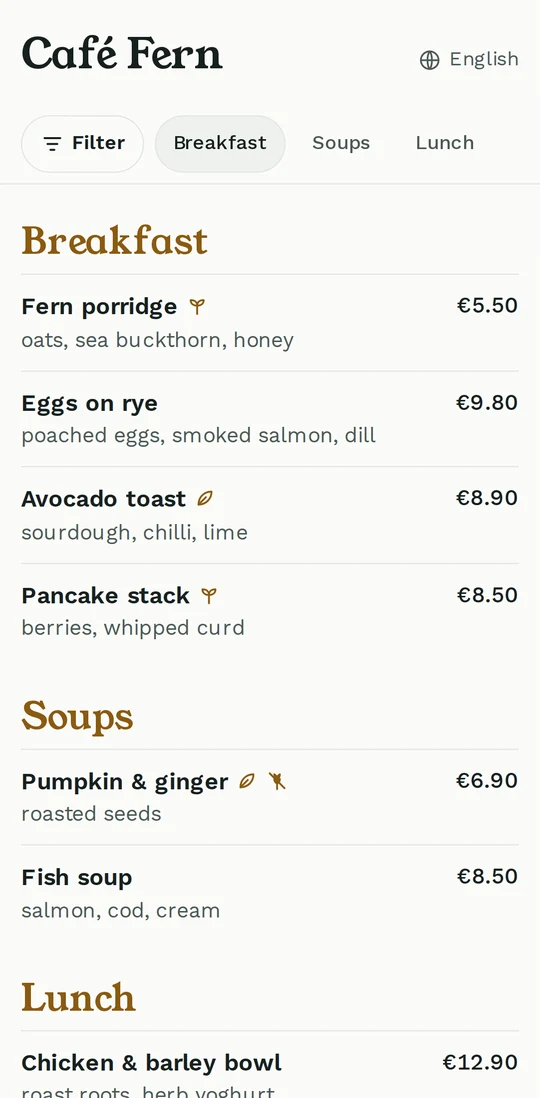
The same Café Fern menu, a minute after the photo. Nothing below was typed or arranged by hand.
Questions
What can I import from?
Your website address, PDF files, photos (JPG, PNG or an iPhone’s HEIC) of a printed menu, a chalkboard or a drinks card, or text you paste. You can give it up to eight files at once, 25 MB in all, and get one menu from them.
How long does it take?
Usually under a minute. A long menu across several pictures can take two or three. You see what it is doing while it reads, and you can leave the page open and wait.
Does it get the prices right?
In our tests, every price on a café website and on photos of printed menus came out exact. MenuMog checks each price against your menu, reads pictures twice, and lists anything it is unsure of with the reason, so you look at those few lines and not the whole menu.
What about allergens and vegan marks?
If your menu marks them (V, VG, GF, a legend at the bottom, little symbols), MenuMog reads them onto each dish. It never guesses allergens from ingredients or adds any your menu does not state; add those in the editor.
What languages can my menu be in?
Any. MenuMog keeps your menu in its own language and notices which one it is. Guests can then read it in Estonian, English, Russian or Finnish.
Are my files kept?
No. Your files are read and then thrown away; only the menu you create is saved. To read them, MenuMog uses Google's Gemini on a paid plan, under which Google does not use them to train its models.
Can I add dishes to a menu I already have?
Not yet: an import always makes a new menu. Adding to a menu you already have is next on the list.
Your menu is one photo away
Take a picture of the menu on the counter, or paste your website's address. Look it over, press Create, done.
Start free